How do I configure a Group Session?
|
A Group Session is typically used for mental health counseling or group therapies. When you create a Group Session, it is associated to the logged in user and will only appear on his/her dashboard. |
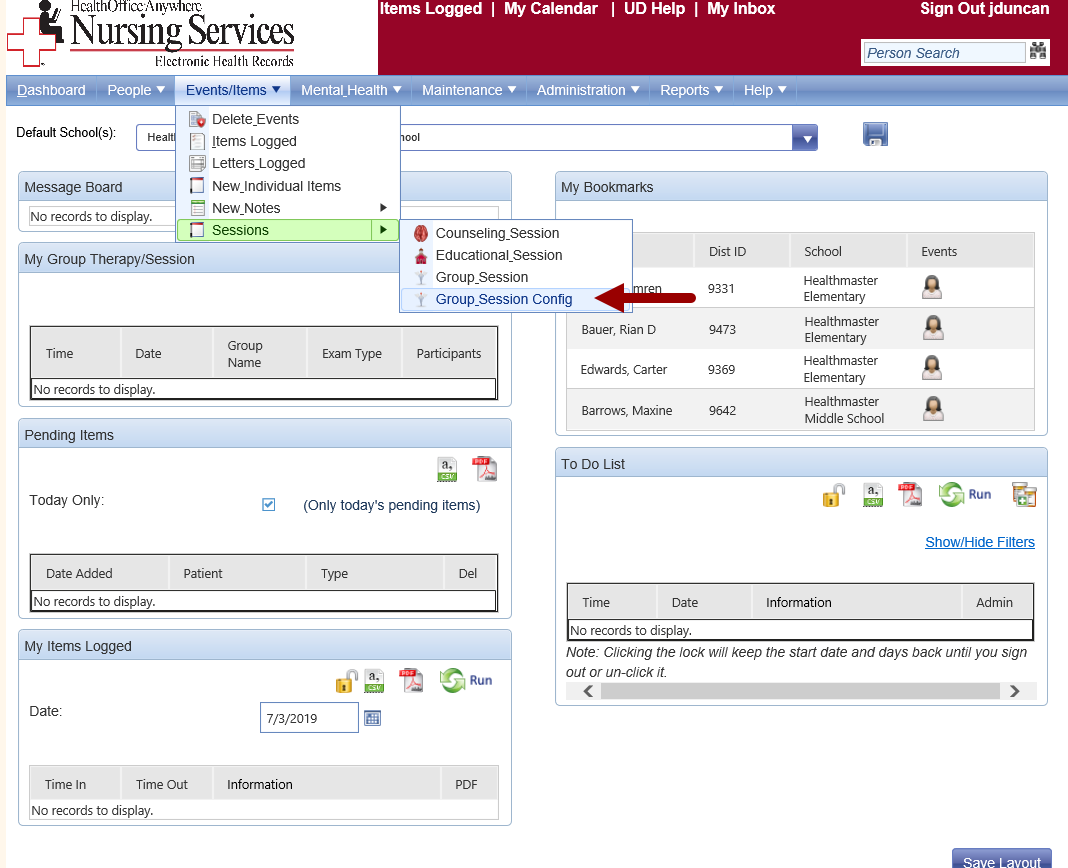
Open Group Session Config. |
|
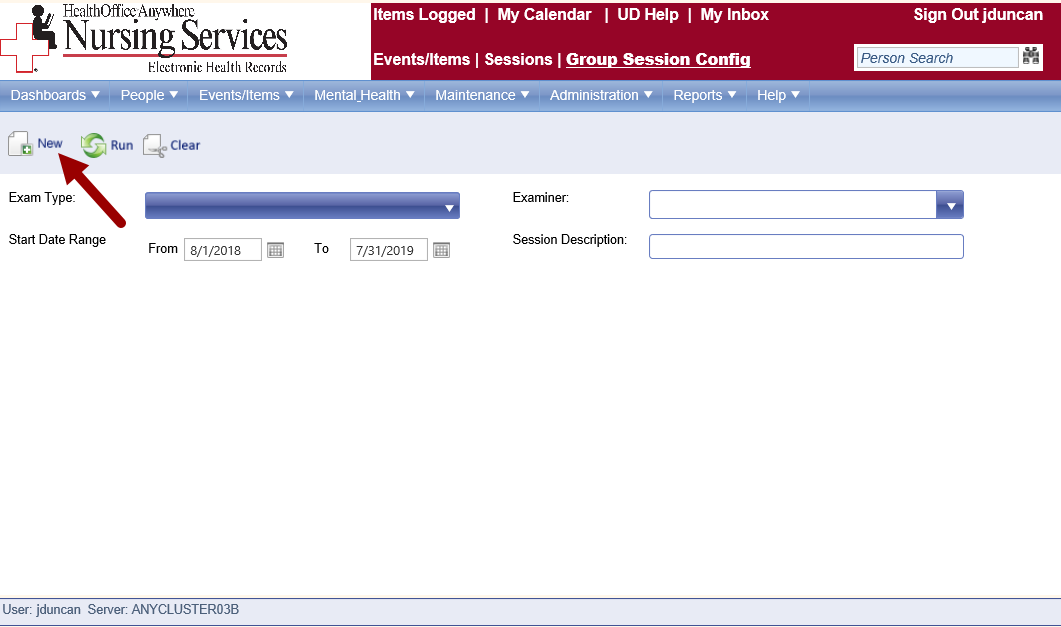
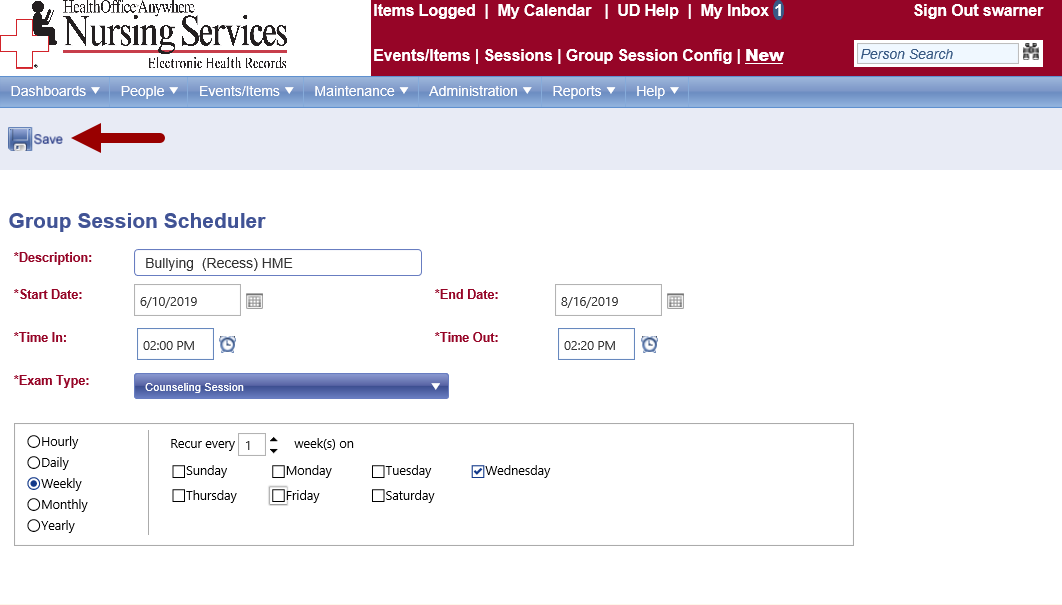
Click New. |
|
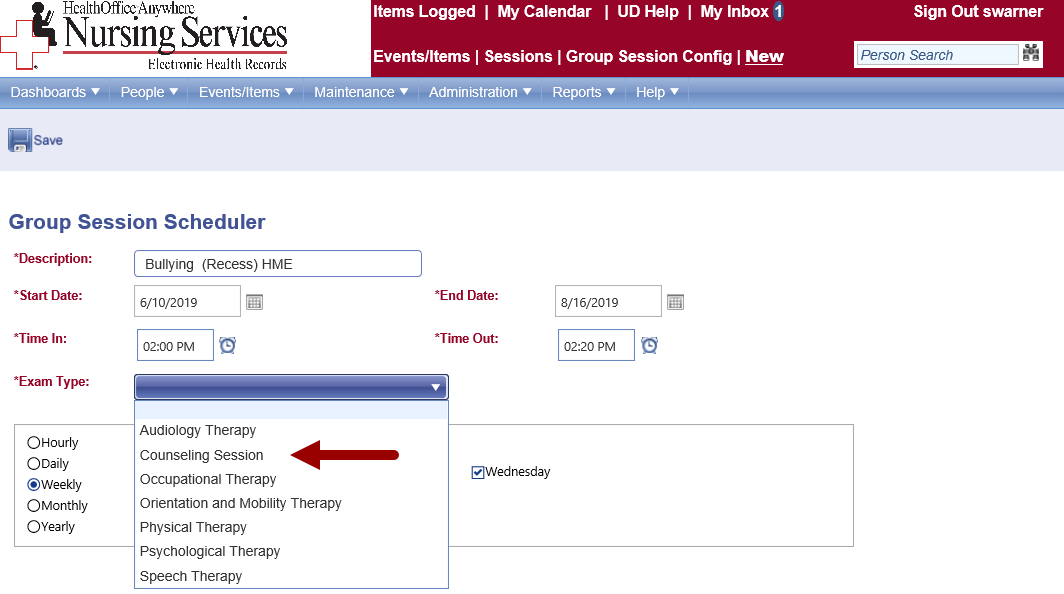
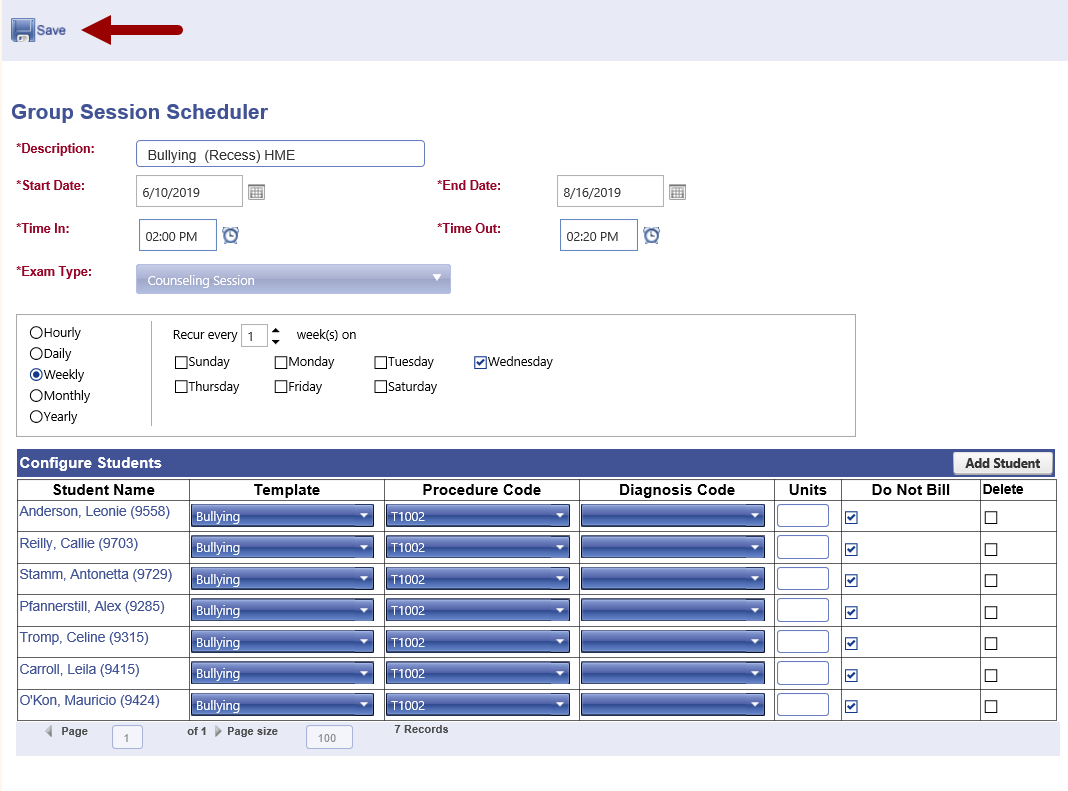
Complete the required fields. This includes description, date and time to place on the To Do List. Choose the event type. |
|
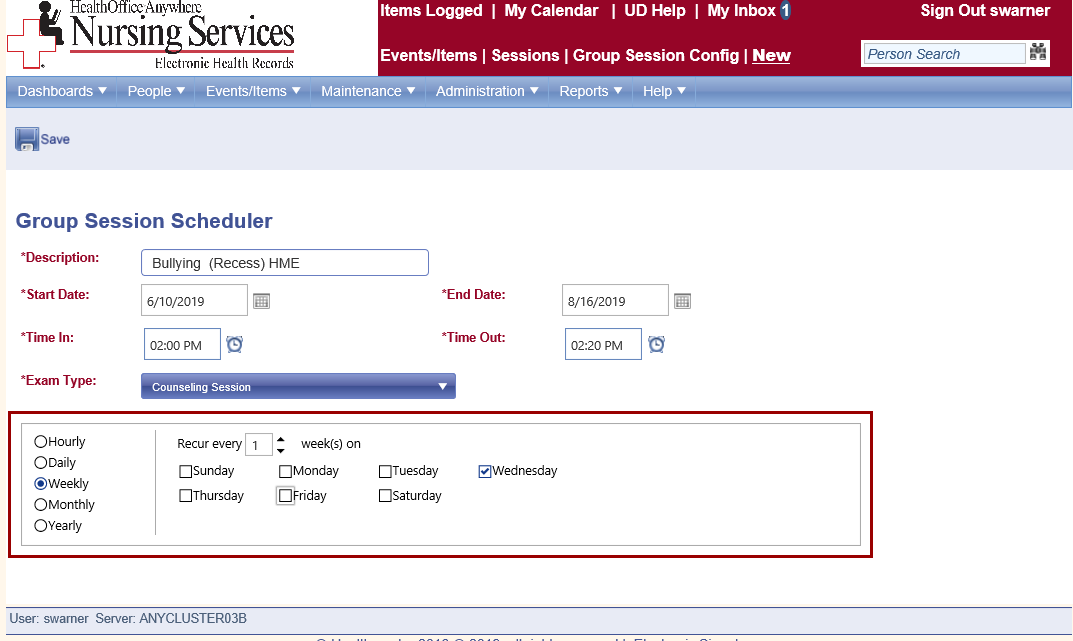
Use the scheduler to select the frequency. Toggle the Recur arrows to repeat session (add intervals). |
|
Click Save. |
|
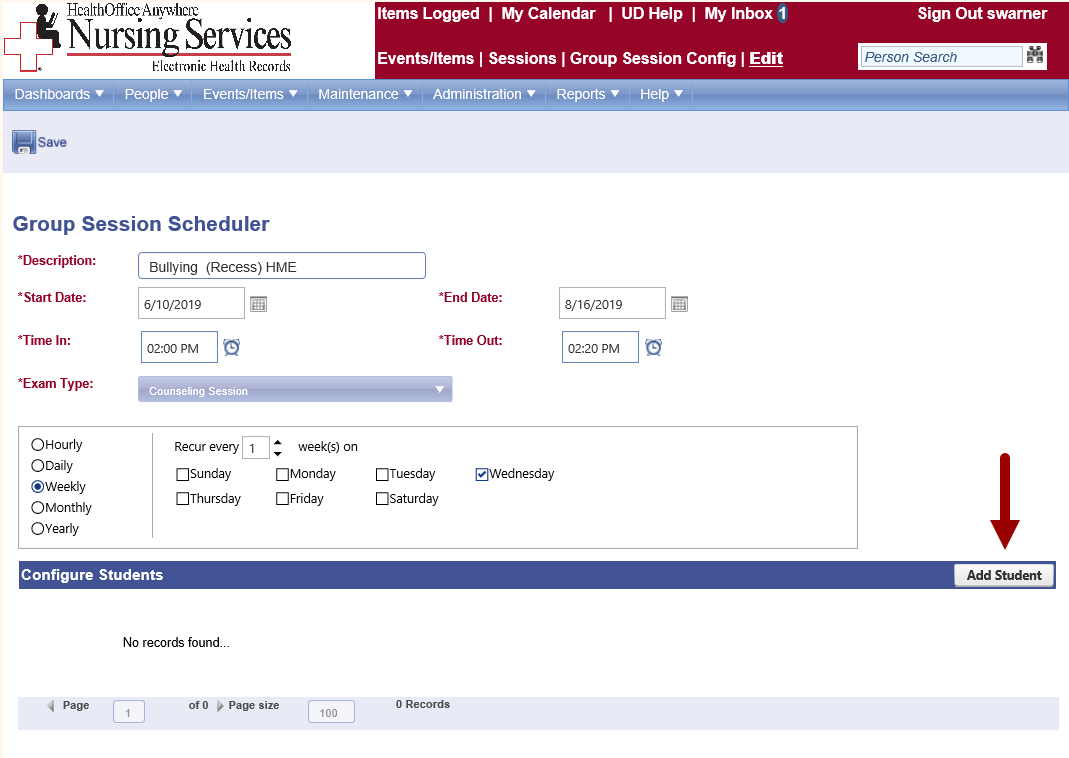
Click Add Student. |
|
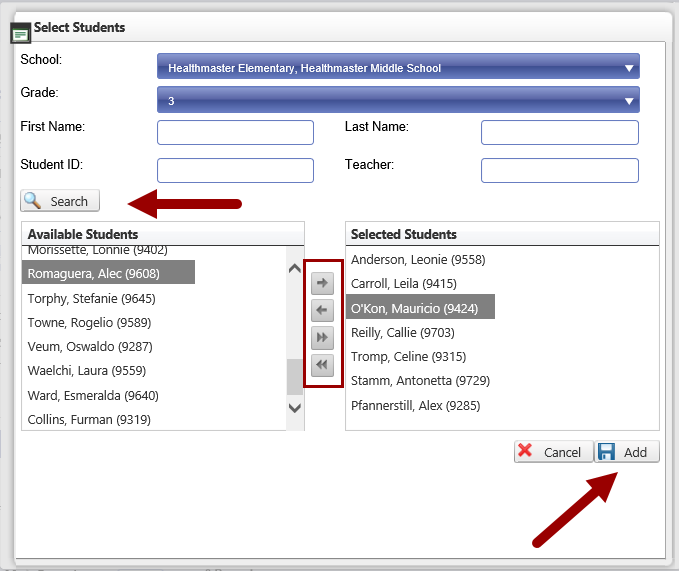
Use the fields and click Search for a list of Available Students. Use the arrow buttons to move students to Selected Students. Click Add. |
|
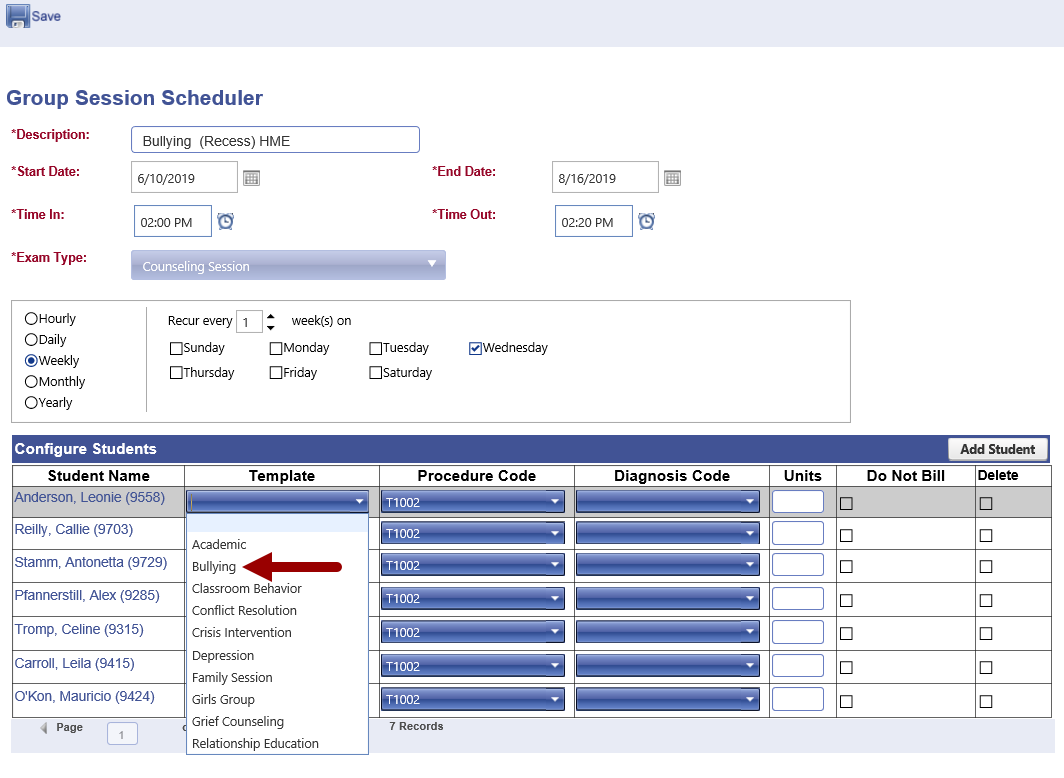
Select the template for each student for this session. *If you are a HealthOffice Anywhere billing customer, complete the billing fields. |
|
Click Save to add the session(s) to your dashboard in the group sessions section. |
|
|
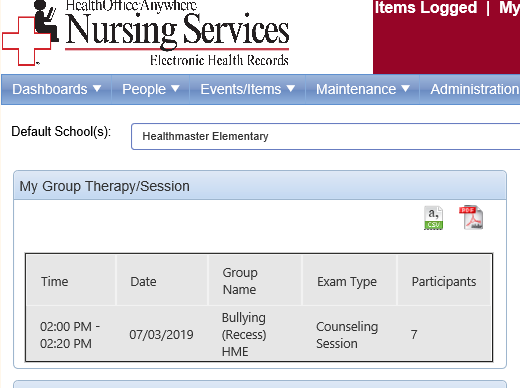
The group session appears on the Dashboard each day that it is scheduled in the interval.
|
|