How do I document a Group Session?
|
A Group Session is typically used for mental health counseling or group therapies. You must first configure a group session prior to documenting it |
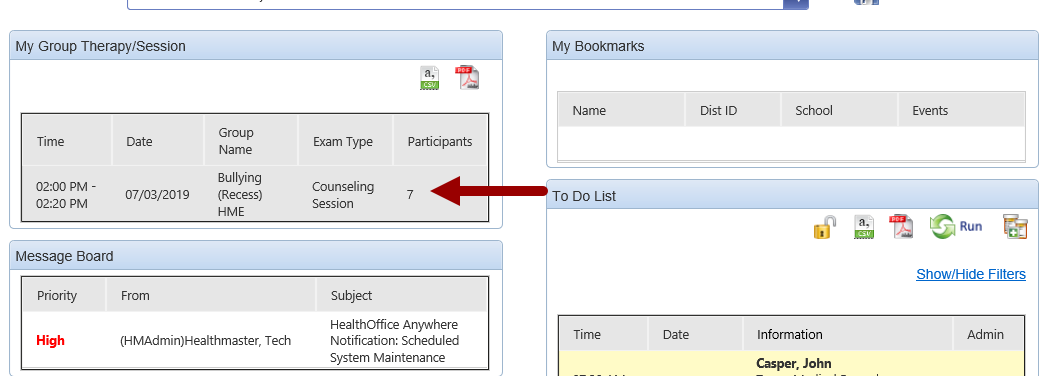
Click the Group Session from the dashboard. |
|
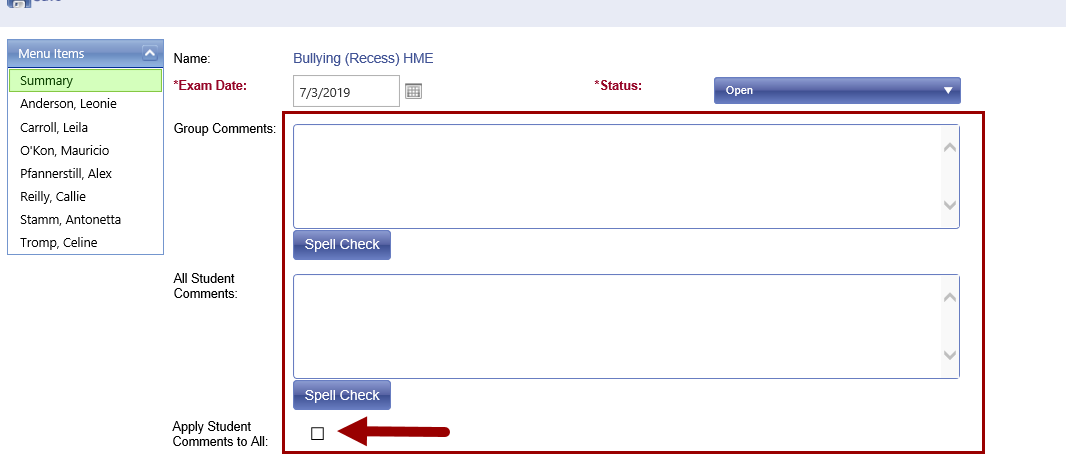
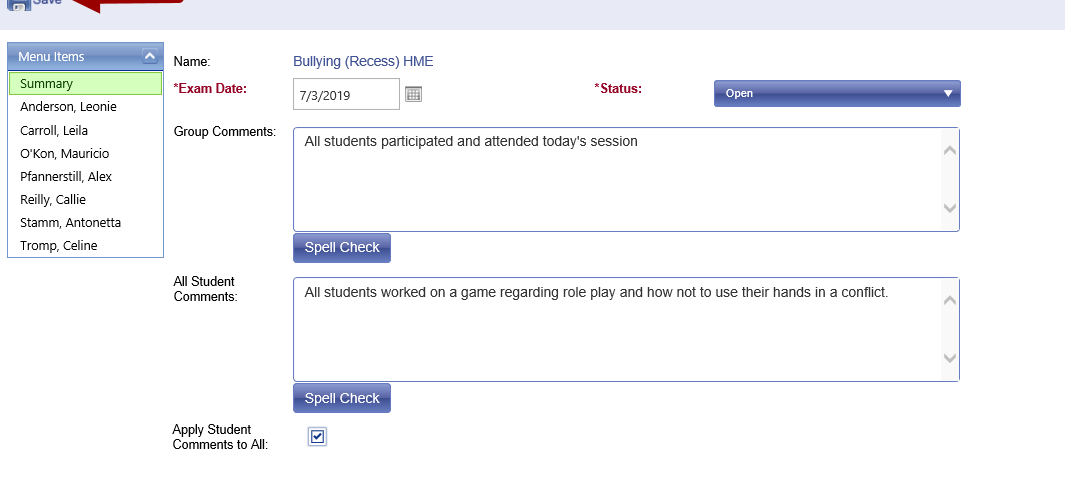
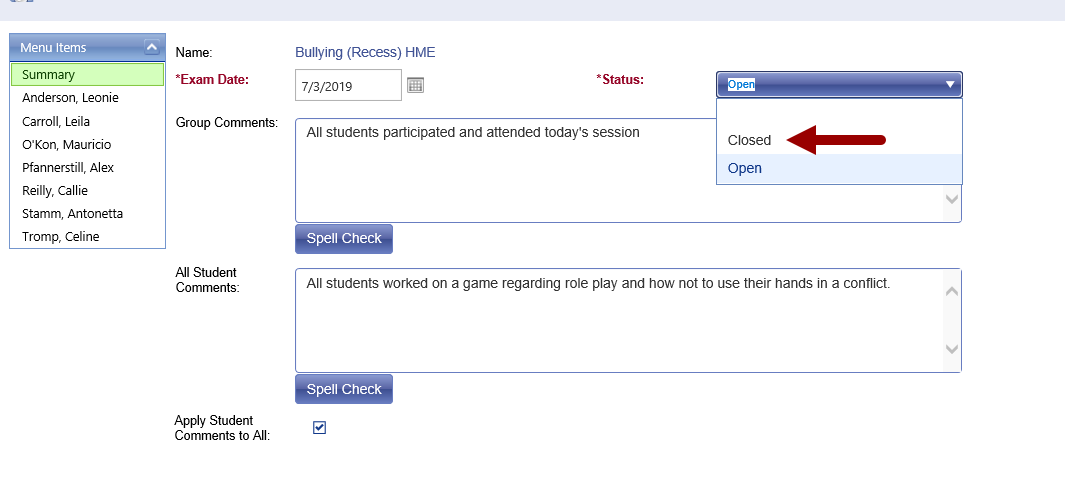
Verify the exam date. Document Group Comments to summarize the group session. Document narrative comments in All Student Comments, and check “ Apply Student Comments to All,” to apply this to all students in the group. |
|
Click Save to apply your documentation. |
|
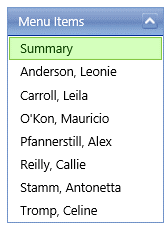
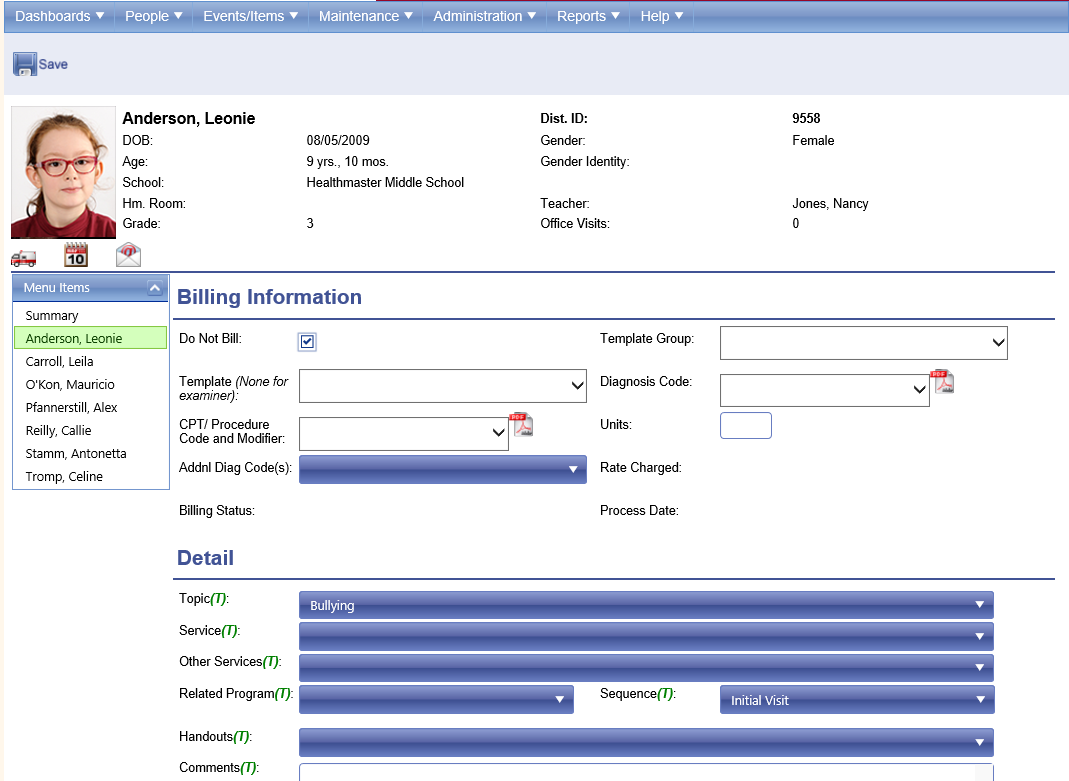
Click on each student to add specific documentation to each individual. |
|
Enter the specific Student session documentation. Click Save on the toolbar. Click on the next student in the menu list on the left to continue or return to the Summary. |
|
Once you are done documenting all students, click the Status drop field and select close. Click Save. |
|
|
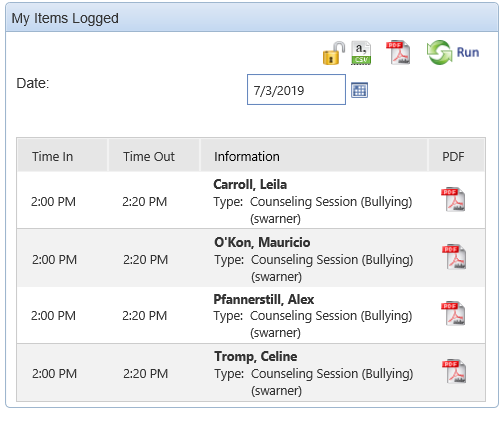
The Group Session is now complete. The completed individuals from the group session appear in My Items Logged on your Dashboard.
|
|